
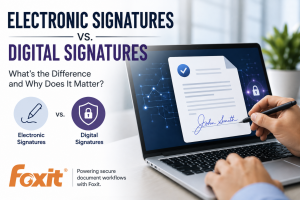
Signing a document used to mean printing it, putting pen to paper, scanning it, and sending it back. Today, businesses can complete agreements, approvals, contracts, and other important documents without ever touching a printer.
But as digital document workflows have become the norm, two terms are often used interchangeably: electronic signatures and digital signatures.
They may sound like the same thing, but there are important differences, particularly when security, compliance, and sensitive business information are involved.
As your Technology Coach, Common Knowledge Technology (CKT) helps businesses understand not only which technology is available, but which solutions make sense for the way they operate. Our partner Foxit offers tools designed to make document management and electronic signing more efficient while helping organizations maintain appropriate security and control.
What Is an Electronic Signature?
An electronic signature, often called an eSignature, is a broad term for a signature or indication of agreement that is captured electronically.
As Foxit explains, an electronic signature can include a signature written digitally on a document or one created through an electronic document-signing platform.
For businesses, the biggest advantage is convenience. Instead of printing, signing, scanning, and emailing documents, employees and customers can complete the process electronically.
Electronic signatures can be useful for everyday workflows such as:
- Internal approvals
- Employee documents
- Purchase authorizations
- Customer agreements
- Vendor documents
- Routine contracts and forms
This can significantly simplify workflows, particularly for businesses with remote employees, multiple locations, or customers who expect a fast digital experience.
What Is a Digital Signature?
A digital signature is a specific type of electronic signature that adds additional technology designed to verify authenticity and protect the integrity of a document.
Foxit notes that digital signatures can incorporate capabilities such as encryption and auditability, making them particularly useful when organizations are dealing with sensitive information or stricter compliance requirements.
That distinction matters.
An electronic signature primarily helps demonstrate someone's intent to sign or approve something electronically. A digital signature can provide additional assurance around questions such as:
Who signed the document?
Has the document changed since it was signed?
Can the authenticity of the signature be verified?
For industries handling sensitive or regulated information, those additional safeguards can become an important part of the organization's overall security strategy.
Electronic Signature vs. Digital Signature: Which Does Your Business Need?
There isn't necessarily one answer for every document.
A routine internal approval may not require the same controls as a sensitive legal agreement, financial document, insurance form, or regulated record. Foxit points out that standard electronic signatures can be appropriate for less sensitive processes, while digital signatures may be better suited to situations involving stricter security and compliance requirements.
The important thing is understanding the information you're protecting and selecting technology accordingly.
That means considering factors such as:
- The sensitivity of the information
- Industry or regulatory requirements
- Identity verification needs
- Audit trail requirements
- Document integrity
- How documents are stored and shared
- Who should have access to completed documents
This is where document technology becomes part of a larger IT conversation.
Secure Document Workflows Go Beyond the Signature
It's easy to focus on the signature itself, but businesses should consider the entire lifecycle of the document.
Where was the document created? Who can access it? How is it transmitted? Where will the completed version be stored? What happens if an employee leaves the organization? Are permissions properly configured?
A secure signature placed on a document does not automatically make every other part of the workflow secure.
At CKT, we encourage businesses to look at technology this way. Security isn't one product or setting. It's a combination of the right tools, processes, access controls, employee education, and ongoing IT management.
Making Digital Documents Easier With Foxit
This is also why we're proud to partner with Foxit.
Foxit provides solutions for creating, editing, managing, and signing PDF documents, including Foxit PDF Editor and Foxit eSign. Foxit describes its eSign platform as a way to send, sign, and manage forms and agreements through secure, legally binding workflows.
For businesses looking to move away from inefficient paper-based processes, solutions like these can help streamline how documents move between employees, customers, vendors, and other stakeholders.
The goal isn't simply to eliminate paper. It's to create a document workflow that's easier to manage while supporting the security and operational needs of the business.
Better Technology Starts With Understanding Your Business
Electronic signatures are a great example of why technology decisions shouldn't happen in a vacuum.
The easiest solution isn't always the right solution, and the solution with the most security features isn't automatically necessary for every workflow. Your technology should match the needs, risks, and requirements of your organization.
CKT acts as your Technology Coach, helping simplify these decisions and ensuring the tools your business relies on work together securely and effectively.
If you're evaluating electronic signatures, PDF management, or ways to improve your document workflows, CKT can help you determine whether Foxit is the right fit for your organization and make sure it fits into your broader technology strategy.
Ready to simplify the way your business creates, manages, and signs documents? Contact Common Knowledge Technology to start the conversation.

